Zone2Lift
A coach's dream app.
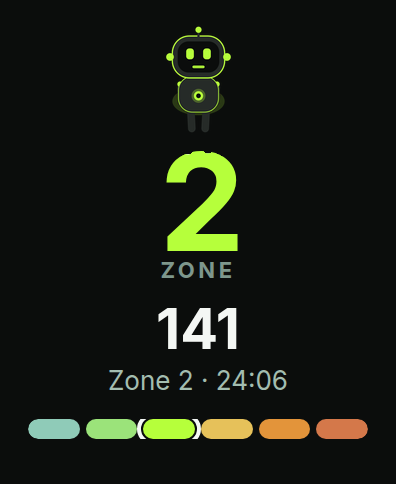
Live Zone 2 on your Apple Watch. Your zone on your wrist, your plan on your iPhone.
An iPhone + Apple Watch app that puts each client's Zone 2 cardio, training, macros, sleep, blood pressure, glucose, body composition and bloodwork in one place, so lifters, competitors and their coaches can see the plan next to what actually happened.
Compatibility: requires iOS 17 and watchOS 10. The AI coach needs iOS 26 or later. Live zones need iOS 27.
Everything is unlocked during the beta. Pricing will be shared before launch.
The problemCoaching data lives in too many places.
A serious lifter's week is spread across a watch, a sleep ring, a BP cuff, a food log, a scale, a lab portal and a training spreadsheet. The coach ends up rebuilding the picture from screenshots, DMs and PDFs, one client at a time.
Cardio
Heart rate and minutes on the watch, rarely matched to the cardio the coach prescribed.
Nutrition
Macros in MyFitnessPal, MacroFactor, Cronometer or Lose It!, sent over as screenshots.
Recovery
Sleep in Oura or Apple Health. Blood pressure on an Omron cuff or a sticky note.
Body comp
DEXA, InBody and smart-scale readings in different apps, units and formats.
Bloodwork
Lab PDFs and phone photos of results, with no simple trend across draws.
Training
Programs in a spreadsheet; the actual sets, reps and load reported later, if at all.
Check-ins
Weekly updates arrive in different formats from every client on the roster.
Follow-up
Retests and reminders tracked by memory or in a separate calendar.
The result: more time chasing screenshots, less time coaching. Zone2Lift is designed to bring those sources together per client, with the coach's own targets alongside.
One place per client. Plan next to actual.
Zone2Lift pulls what the athlete already tracks through Apple Health and manual entry, then shows it to the athlete and, with consent, to the coach.
01Athlete app
iPhone + Apple Watch, with live Watch zones. Works solo, and built for coaches too. Live Zone 2, body, sleep, BP, glucose, nutrition, water and labs.
02Coach roster
Every client, searchable and tagged, sorted by the ranges the coach set. Sample clients in v0.
03Plan vs Actual
Training, macros and cardio minutes compared against the coach's plan. Sample clients in v0.
04Private by design
Your health data stays on your phone. No ads, no data selling. An optional Face ID lock is planned.
Sources via Apple Health include Apple Watch, Omron, Oura, Dexcom, Libre, Stelo, MyFitnessPal, MacroFactor, Cronometer, Lose It! and smart scales. Brand names belong to their owners; no affiliation implied.
Everything the app does.
Open a section for the details and screens. Sample data is shown in every screen.
Athlete featuresLive Zone 2 on Apple Watch.
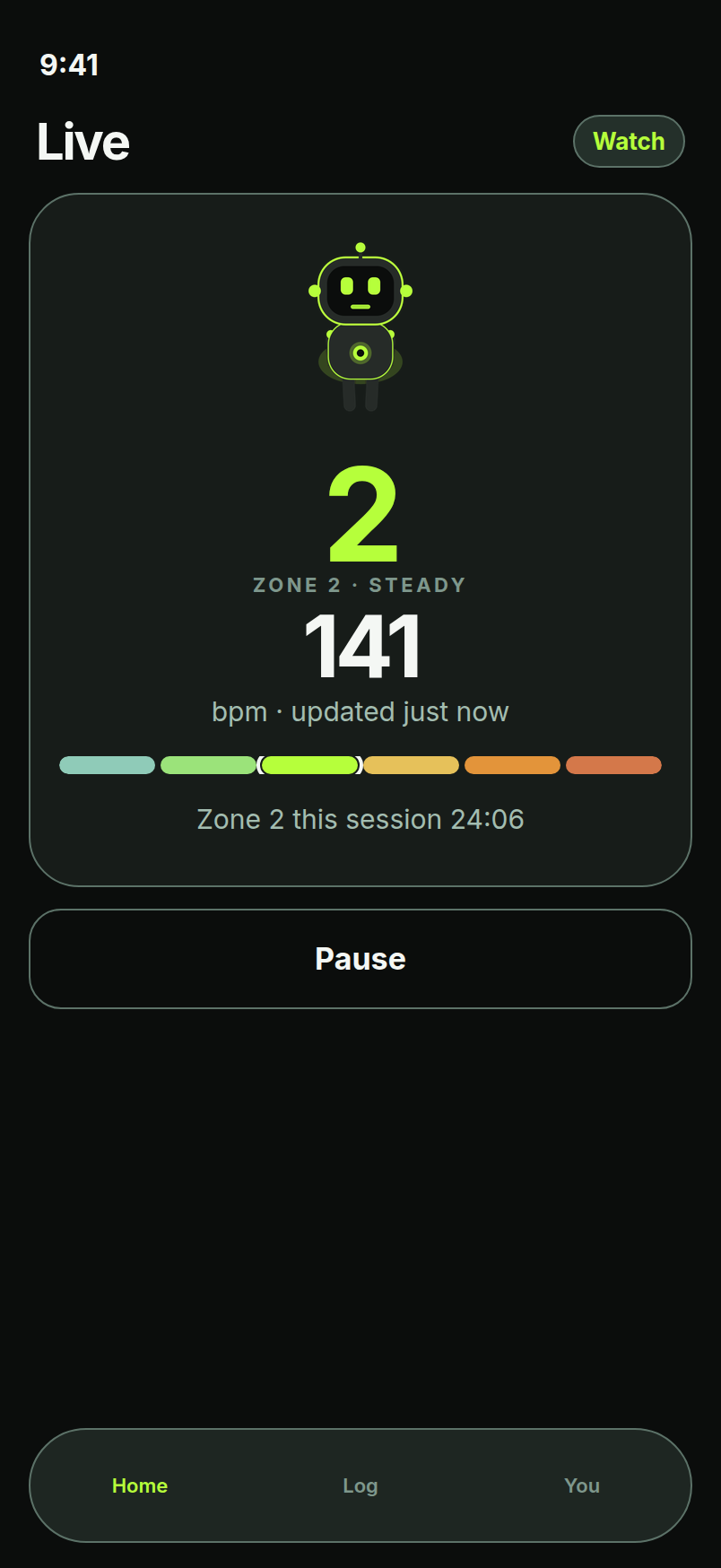
Zone2Lift is an iPhone + Apple Watch app. Start a session and your current zone is on your wrist; the iPhone keeps the detail.
Zone2Lift shows the live heart-rate zone on the wrist and tracks weekly Zone 2 minutes against a goal.
- Zones from your own resting heart rateZones start from the Karvonen (heart-rate reserve) method, then apply a small, capped adjustment (an estimate, not a measurement).
- Live Watch zonesSee your current zone and heart rate on the Apple Watch while you train, with the same zone on the iPhone.
- Weekly Zone 2 minutesA weekly ring shows your minutes in Zone 2 against a goal. Widgets are planned.
- Apple Watch cardio fitness estimateThe cardio fitness value is shown as the Apple Watch cardio fitness estimate from Health, not a Zone2Lift measurement.
- Original robot mascotA green robot that rests when you rest and runs faster as the zone rises.
Athlete features · FoodFuel tracked next to training.
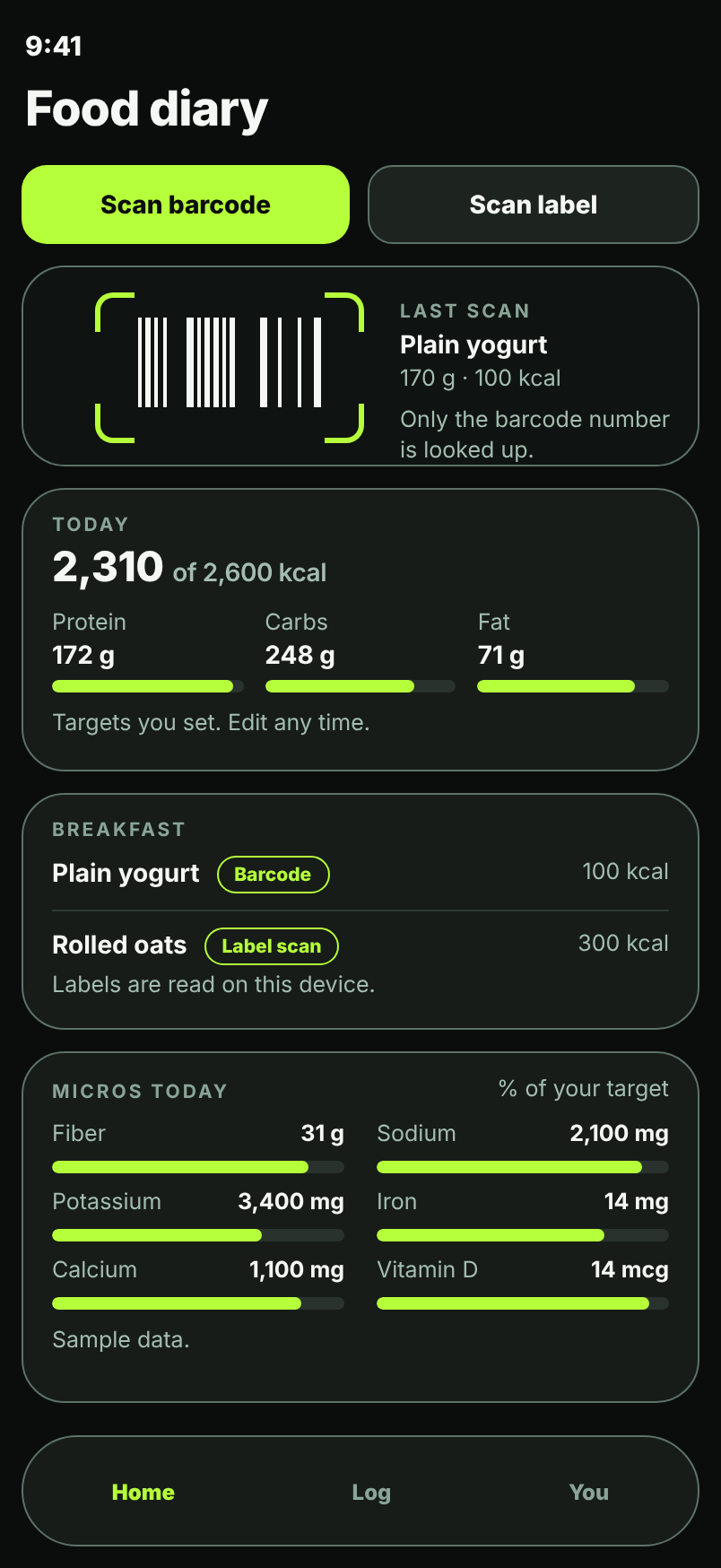
Nutrition
MyFitnessPal, MacroFactor, Cronometer and Lose It! via Apple Health.
TDEE, two ways
Compares an Apple Watch energy estimate with an intake-vs-weight-trend estimate.
Water
Water intake tracked toward a daily target.
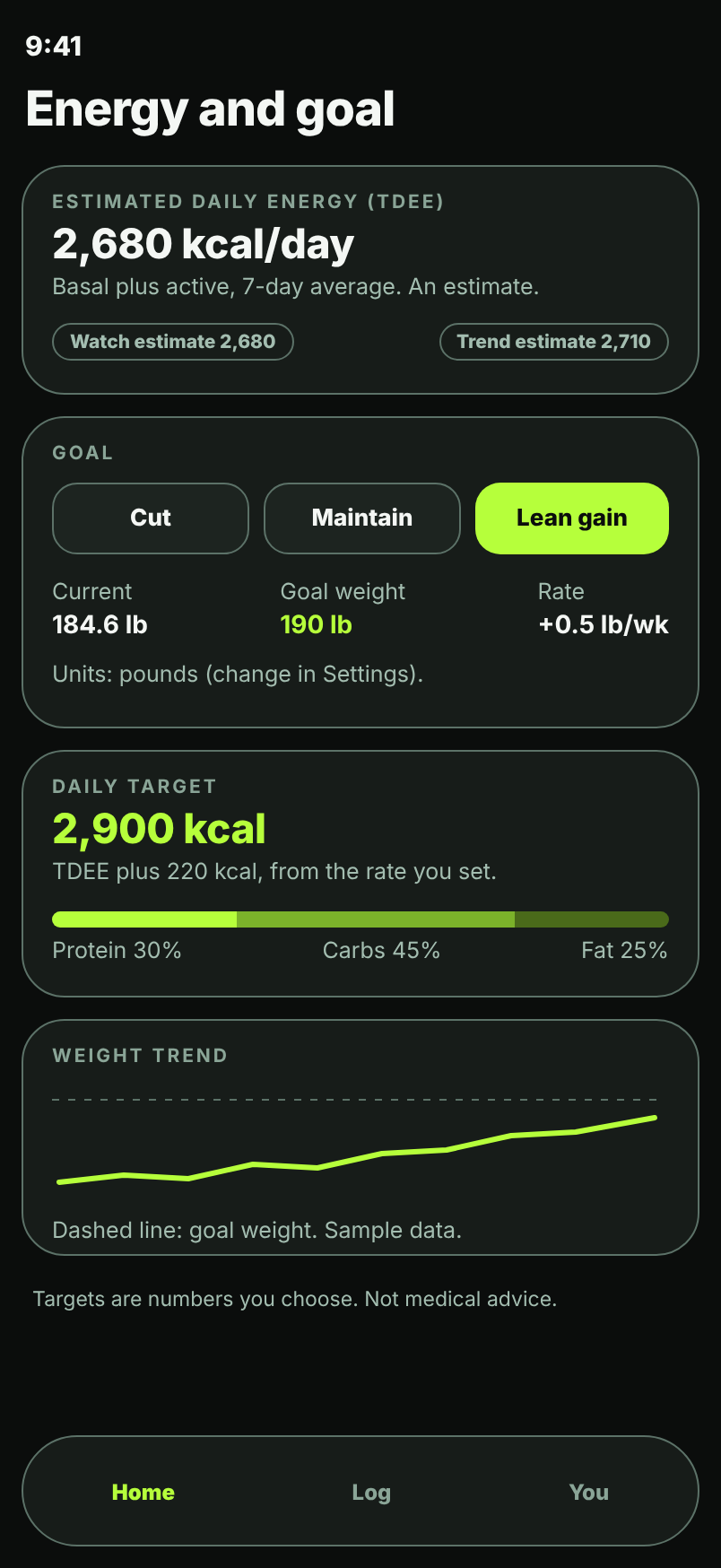
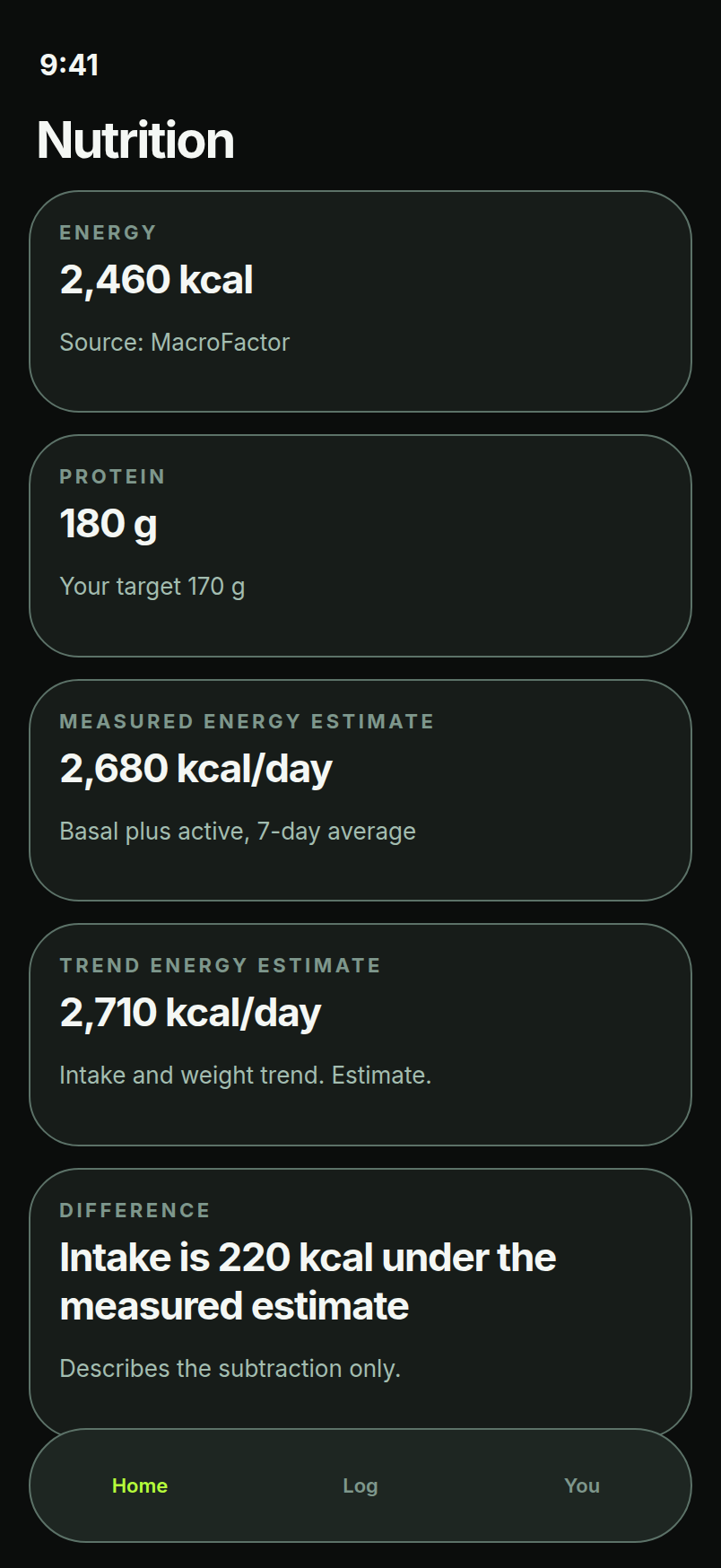
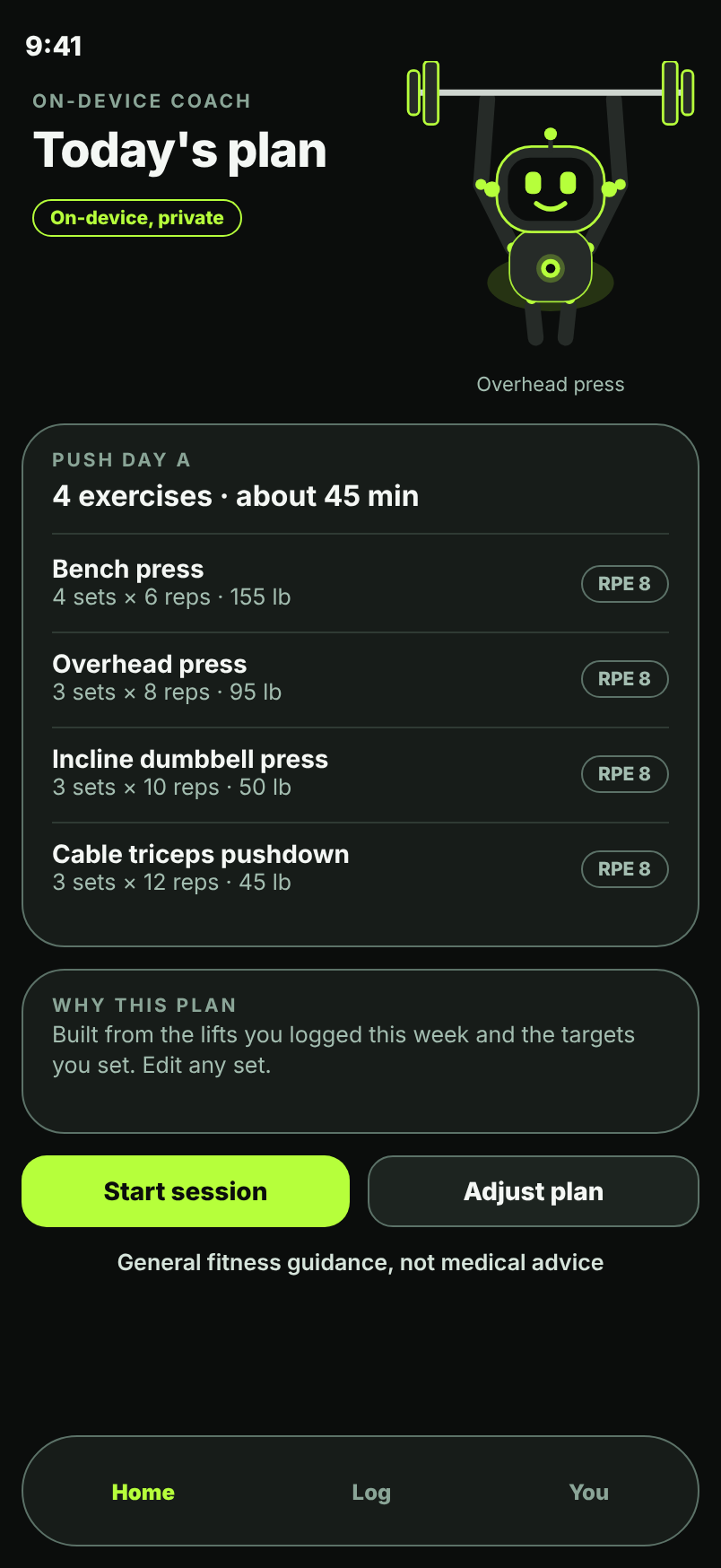
Athlete features · LiftingLog the lifting next to the cardio.
Build a session from the exercise library, log each set, and see your estimated strength trend. Units are pounds by default, with kg available in Settings.
Exercise library
170+ lifts to build sessions from.
RPE and RIR per set
Log how hard each set was, as RPE or reps in reserve.
Estimated 1RM and PRs
Estimated one-rep max from your logged sets (an estimate, not a tested max), with personal records tracked.
%1RM targets
Set loads as a percentage of your estimated 1RM.
Supersets
Pair exercises and log them back to back.
Rest timer
A timer between sets so rest stays consistent.
Recovery card
Your recovery data from Apple Health, shown next to your training.
Private progress photos
Progress photos stay on your device. They are not uploaded or shared.
Units: pounds by default, with kg available in Settings.
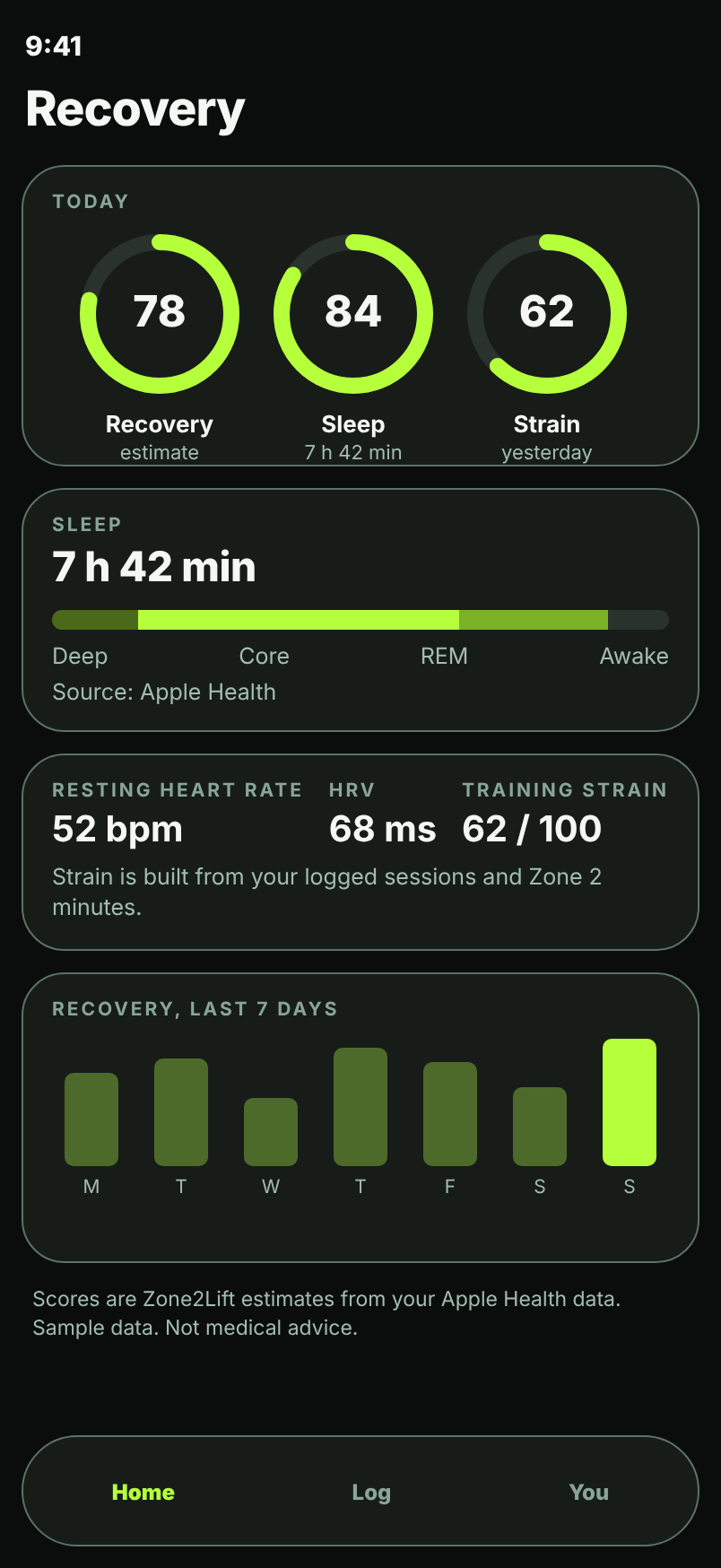
Athlete features · RecoveryBody and recovery in one view.
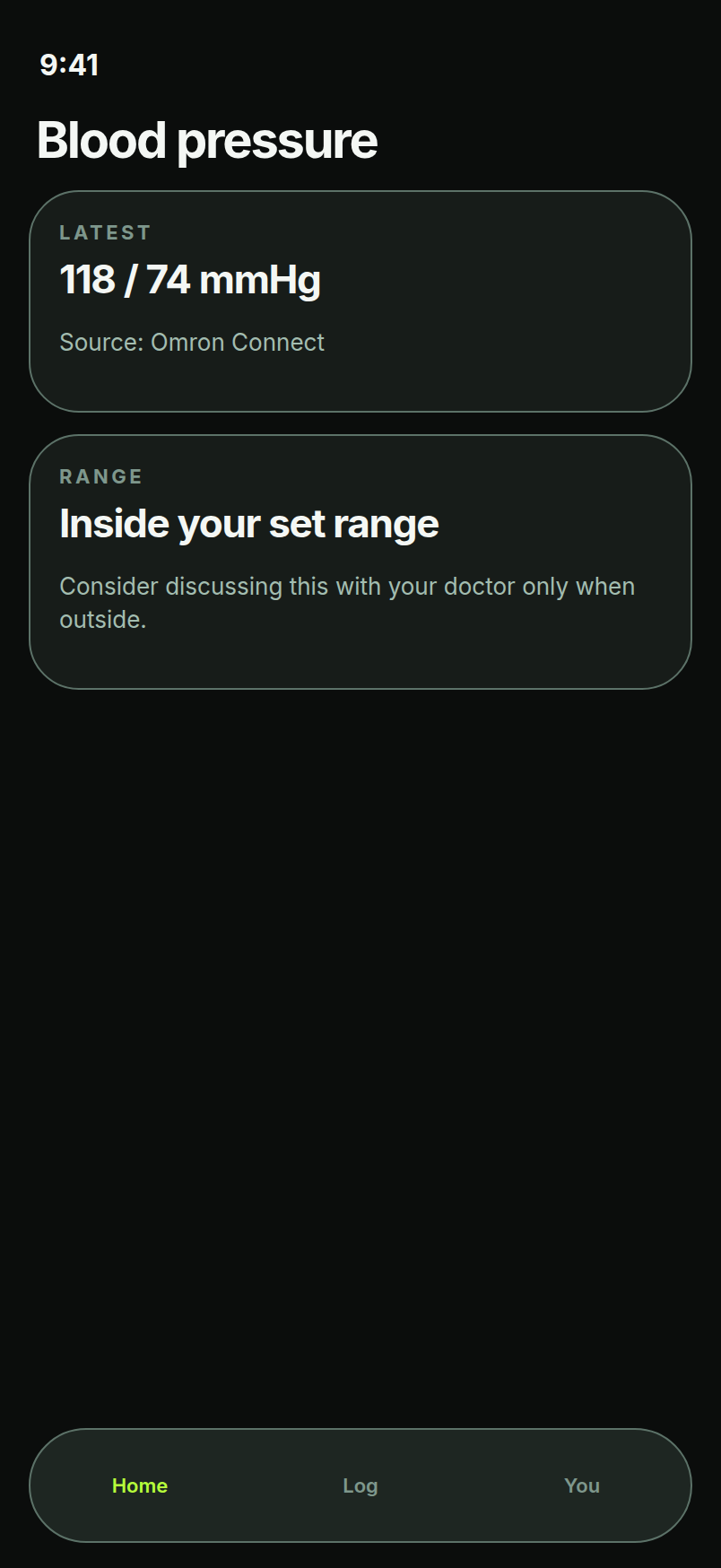
Blood pressure
Omron readings via Apple Health, plus manual entry. Shown against the range the user or coach set.
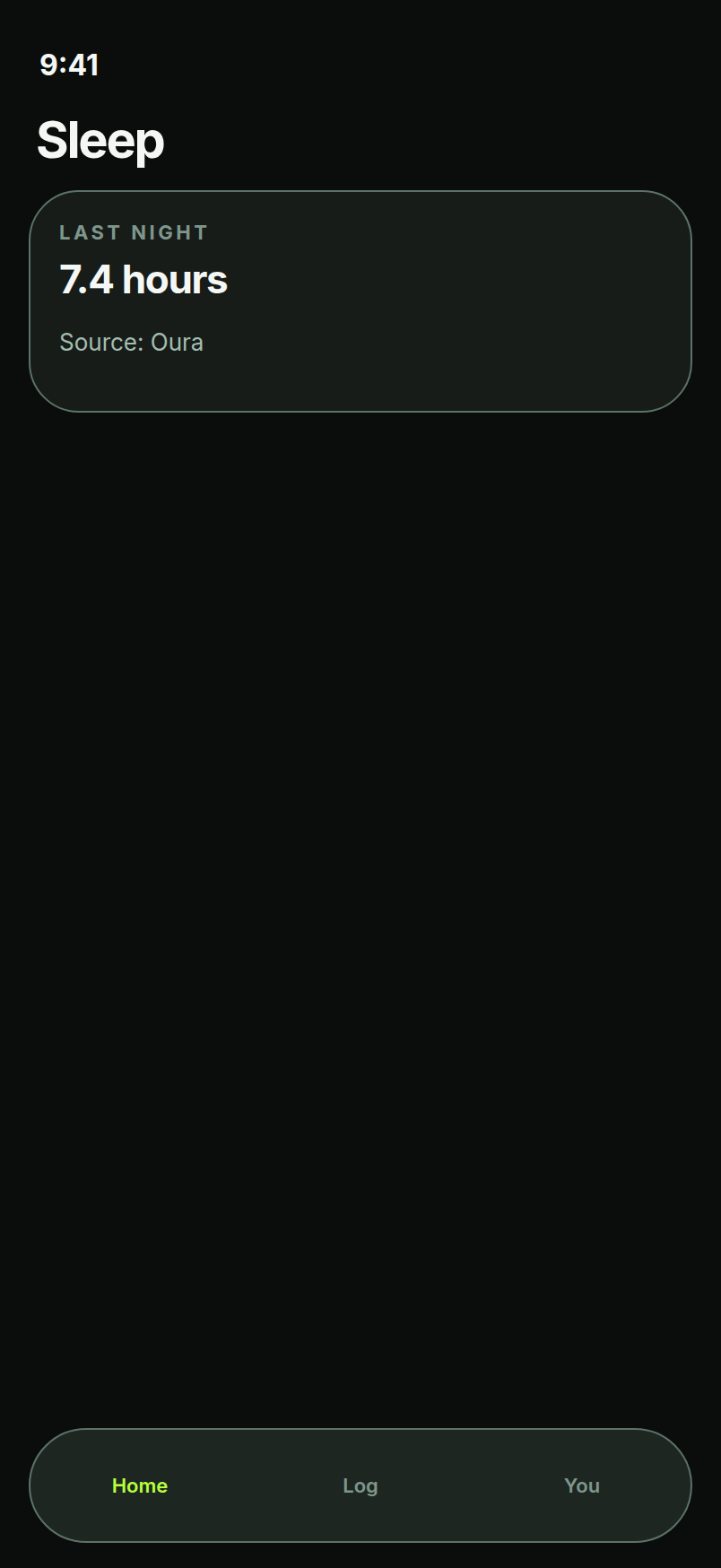
Sleep
Sleep from Apple Health, for example Apple Watch or Oura.
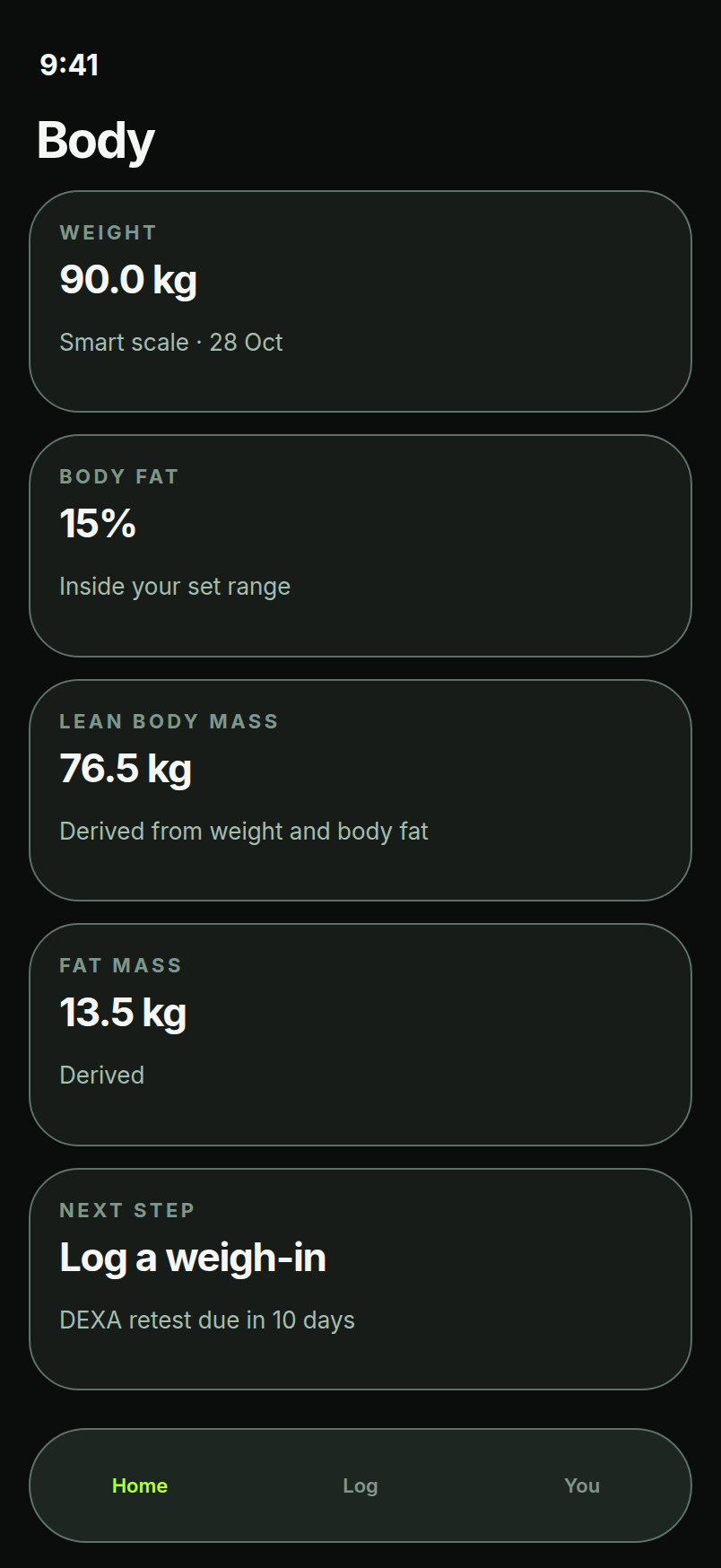
Body composition
DEXA, InBody and smart-scale entries: weight, body-fat %, lean and fat mass.
Athlete features · Labs & trendsBloodwork and hormones, tracked over time.
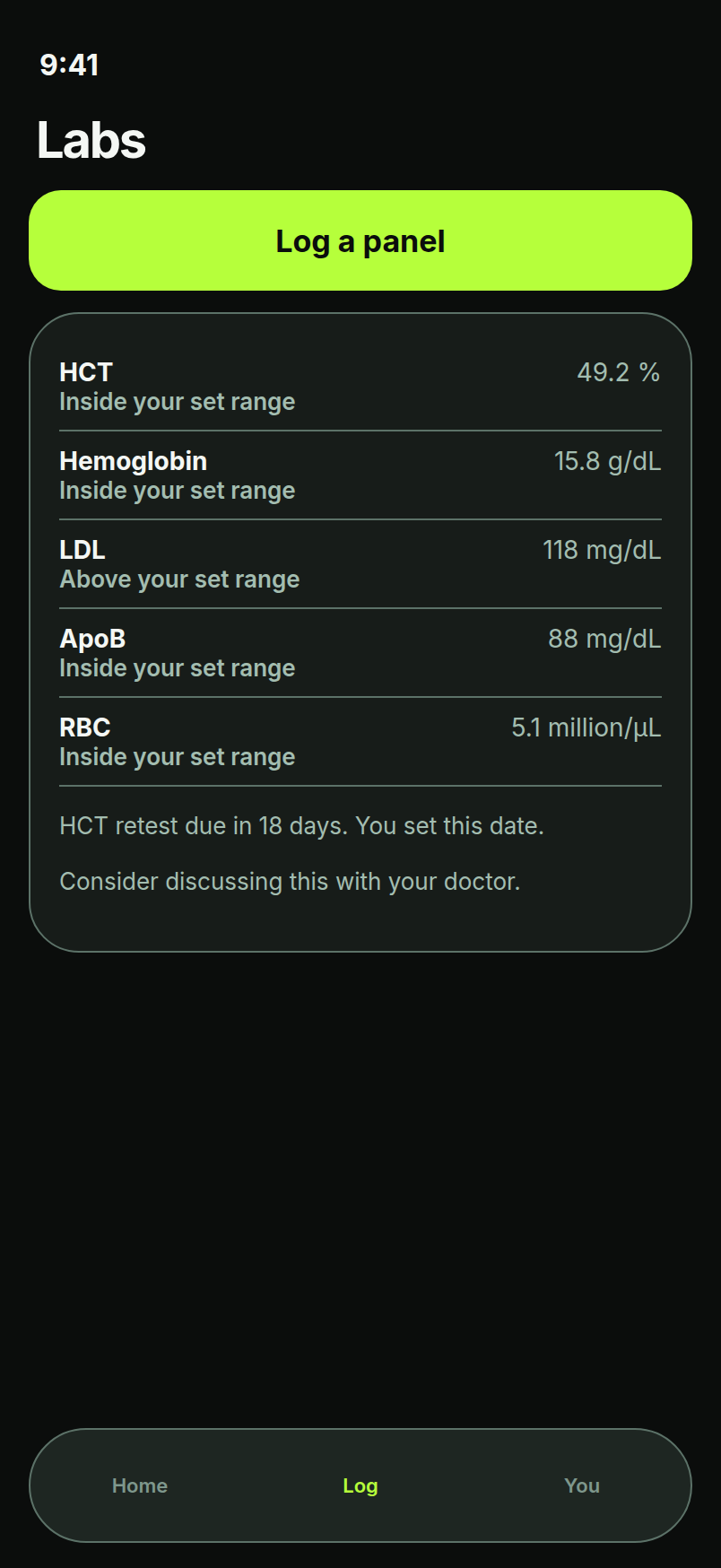
- MarkersLipids, ApoB, HCT, hemoglobin, RBC and custom markers, each with ranges set by the user or coach.
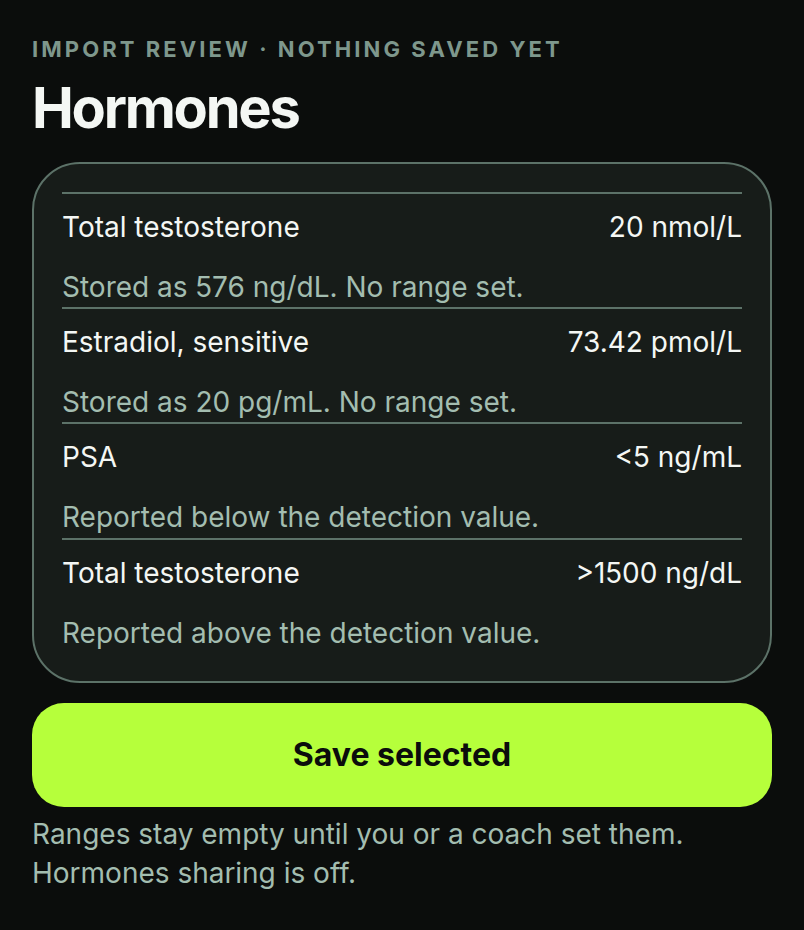
- On-device lab import, with reviewLab import is designed to run entirely on your device (text recognition, PDF, CSV). Nothing is uploaded. Every value is reviewed before saving.
- Trends & retest remindersTrend lines per marker and reminders on intervals the user or coach chooses.
- Hormones panelTotal and free testosterone, SHBG, estradiol, LH, FSH, prolactin, DHEA-S, IGF-1, cortisol, thyroid markers and PSA. Lab import with unit conversion (for example nmol/L ↔ ng/dL). Below- or above-detection results are kept as reported.
- Your ranges onlyRanges are only ones the user or coach sets. They stay empty until someone sets them. Coach sharing for hormones is off by default; the user decides whether to turn it on.
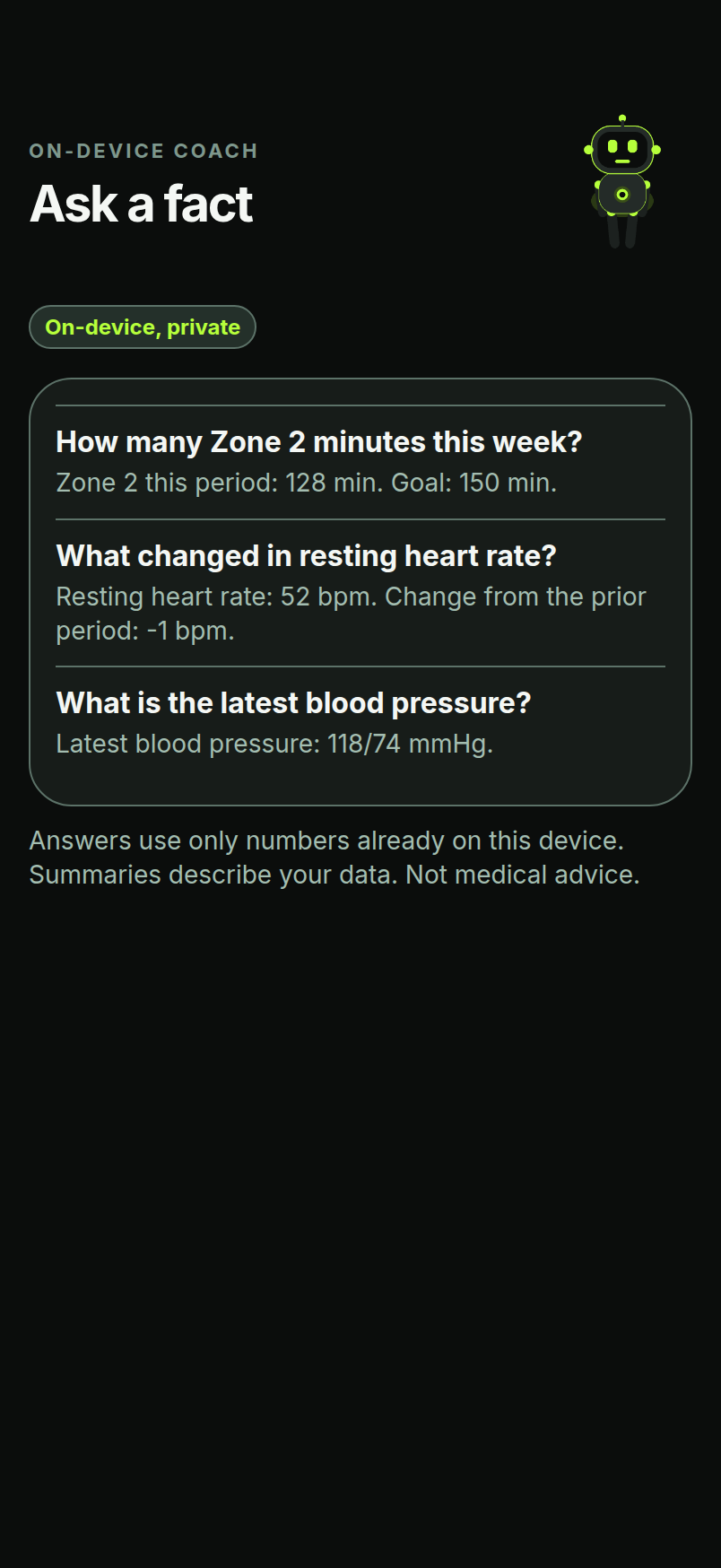
Private AI coach
Weekly summary and “What changed?” cards that describe changes in your data. It uses Apple's on-device Foundation Models, runs on your device, and is off by default. Needs iOS 26 or later.
Robot mascot
An original green robot that rests when you rest and runs faster as the zone rises, on iPhone and Apple Watch.
Athlete features · Blood glucoseGlucose next to meals and training.
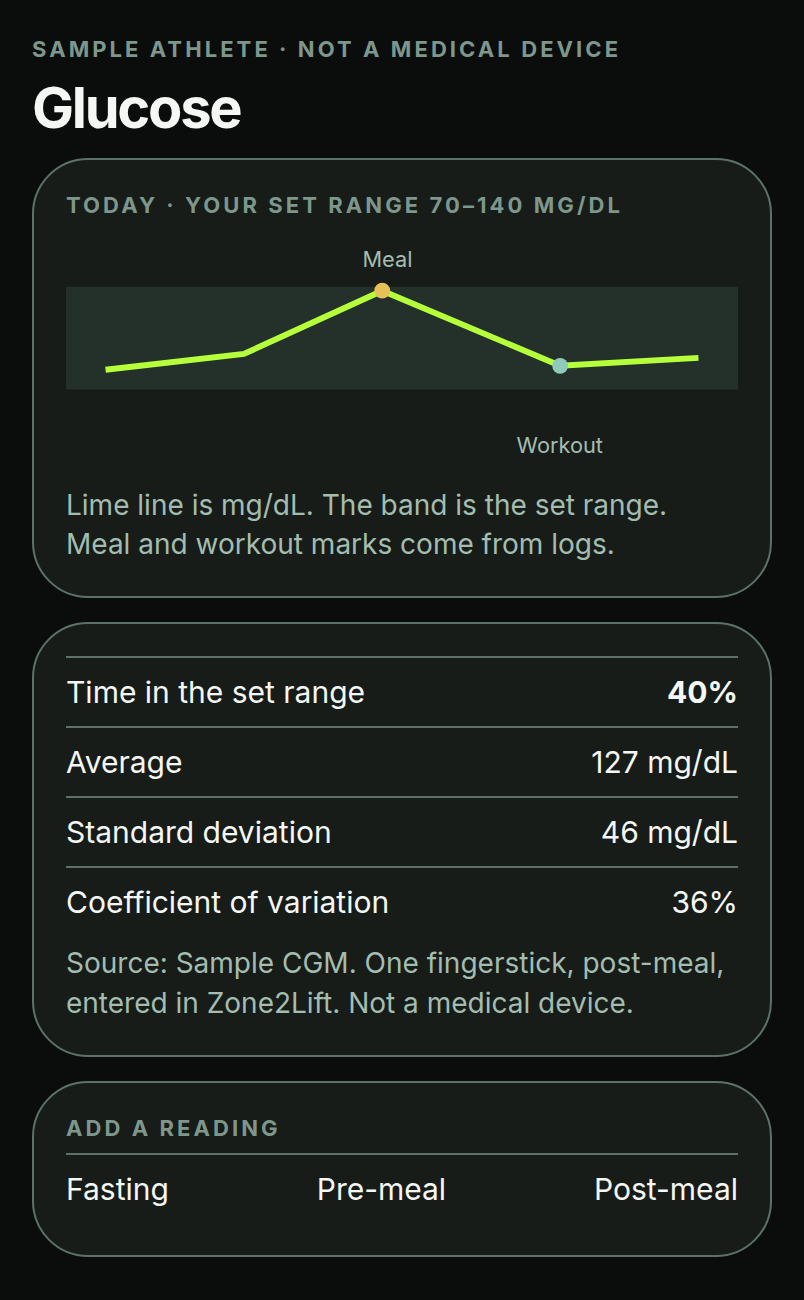
Zone2Lift shows glucose readings alongside the day's meals and workouts, and compares them with a range the user or coach sets. Not a medical device. Readings are shown against a range you or your coach set.
- CGM via Apple HealthReadings from Dexcom, Libre or Stelo sensors that write to Apple Health.
- Manual entryFingerstick readings with meal tags: fasting, pre-meal, post-meal.
- Daily curve, time in range, average & variabilityOne line per day with meal and workout marks. Share of readings inside the range the user or coach set. Average, standard deviation and coefficient of variation.
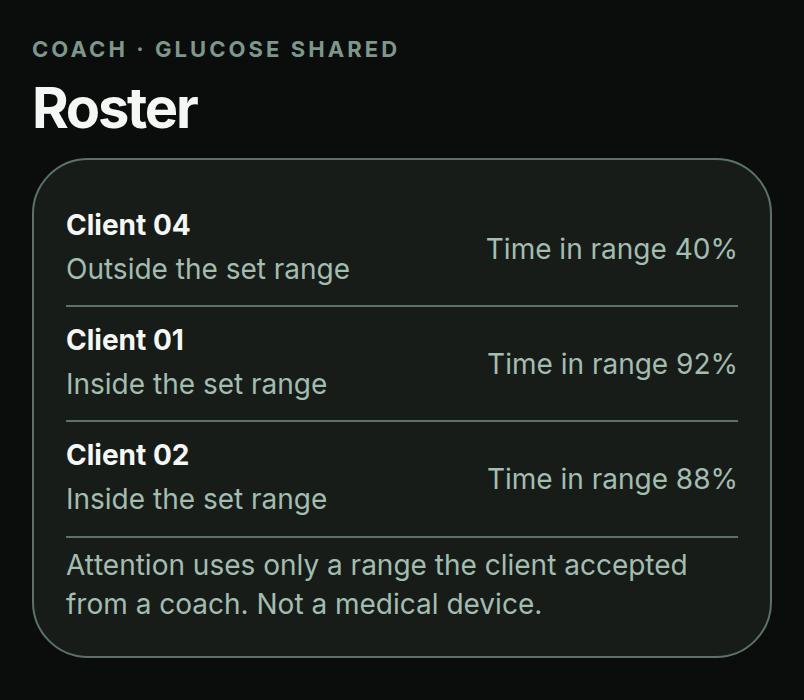
- Coach roster columnTime in range per client, for clients who choose to share glucose.
Coach featuresBuilt for a full roster.
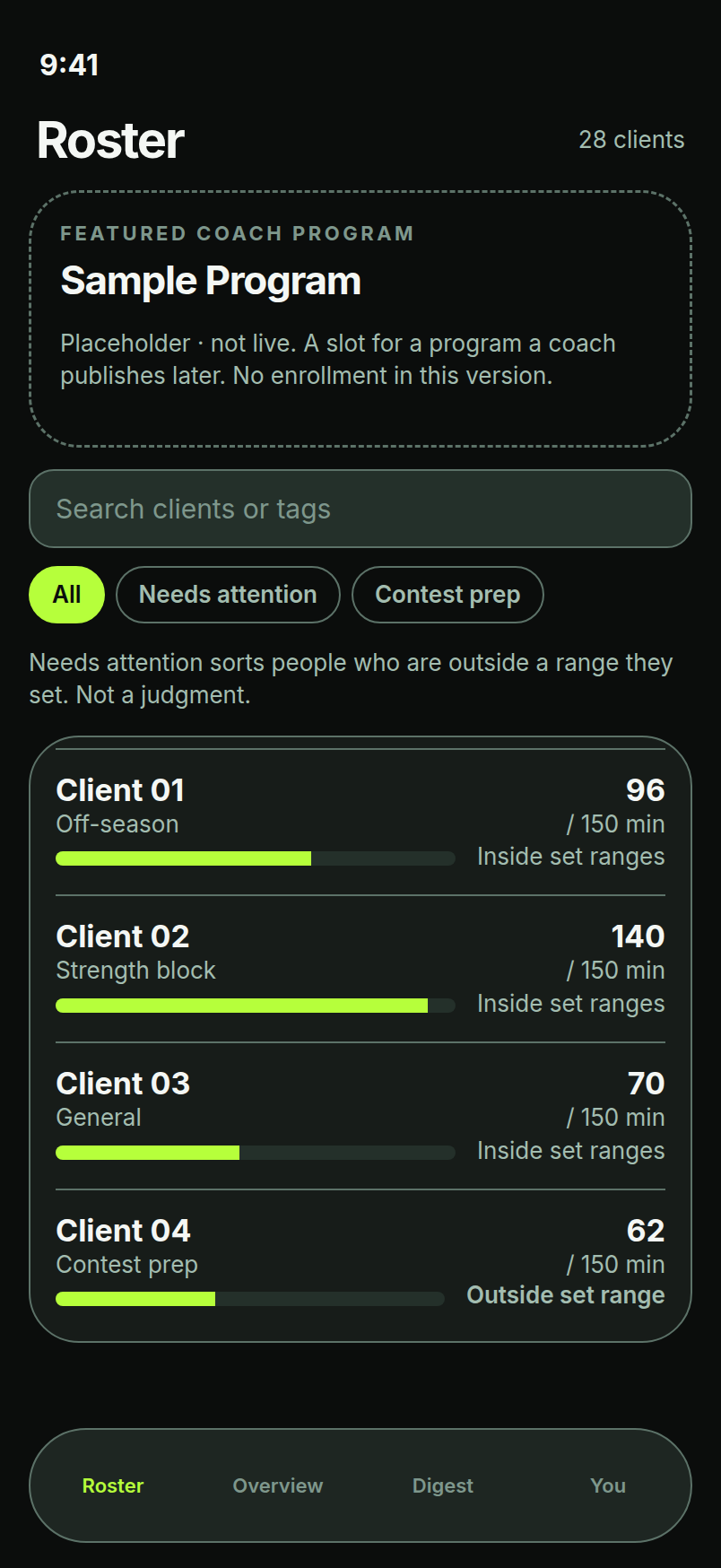
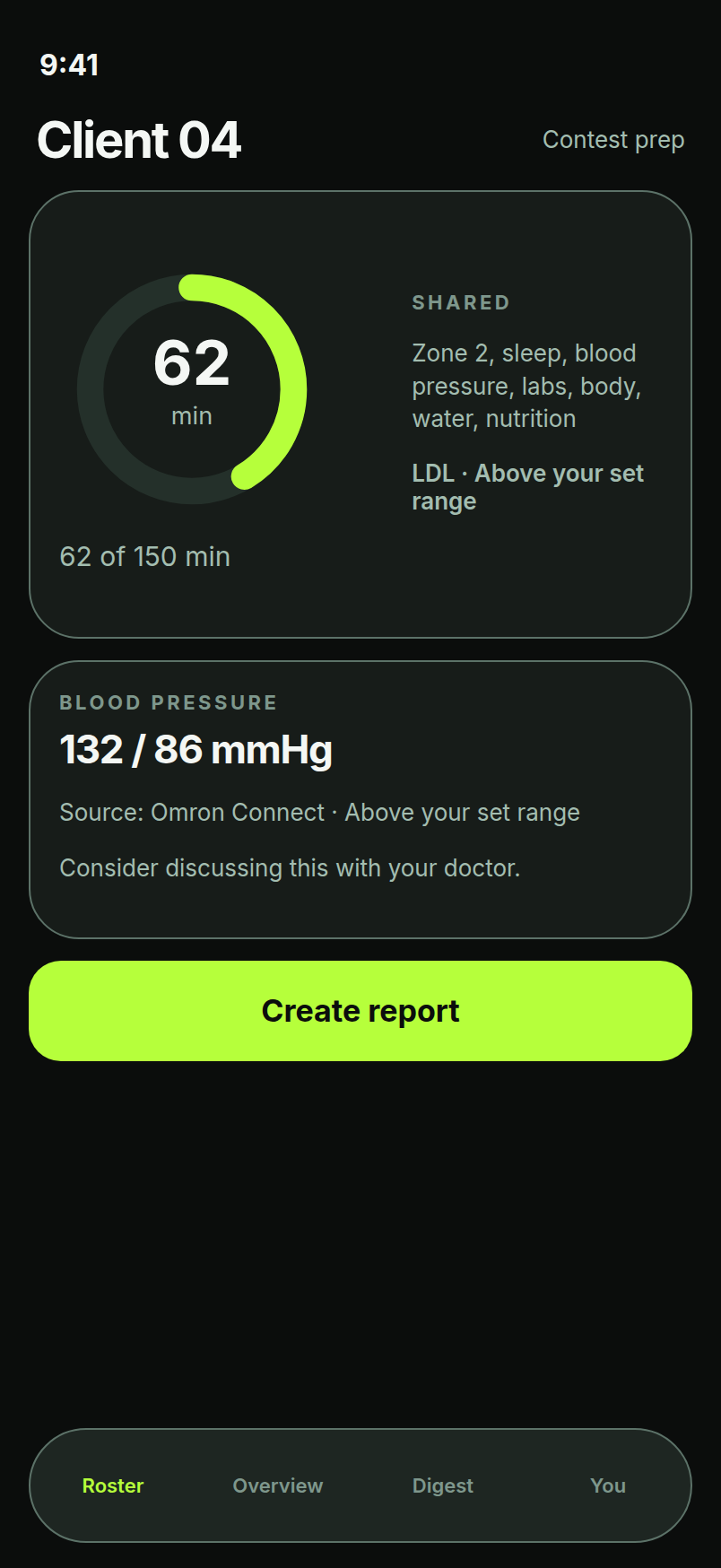
- Multi-client rosterDesigned for 25+ clients, with search, tags (off-season, prep, peak) and a glucose column. Sample clients in v0.
- “Needs attention” sortBrings up clients outside the ranges the coach set. A sort, not a judgment.
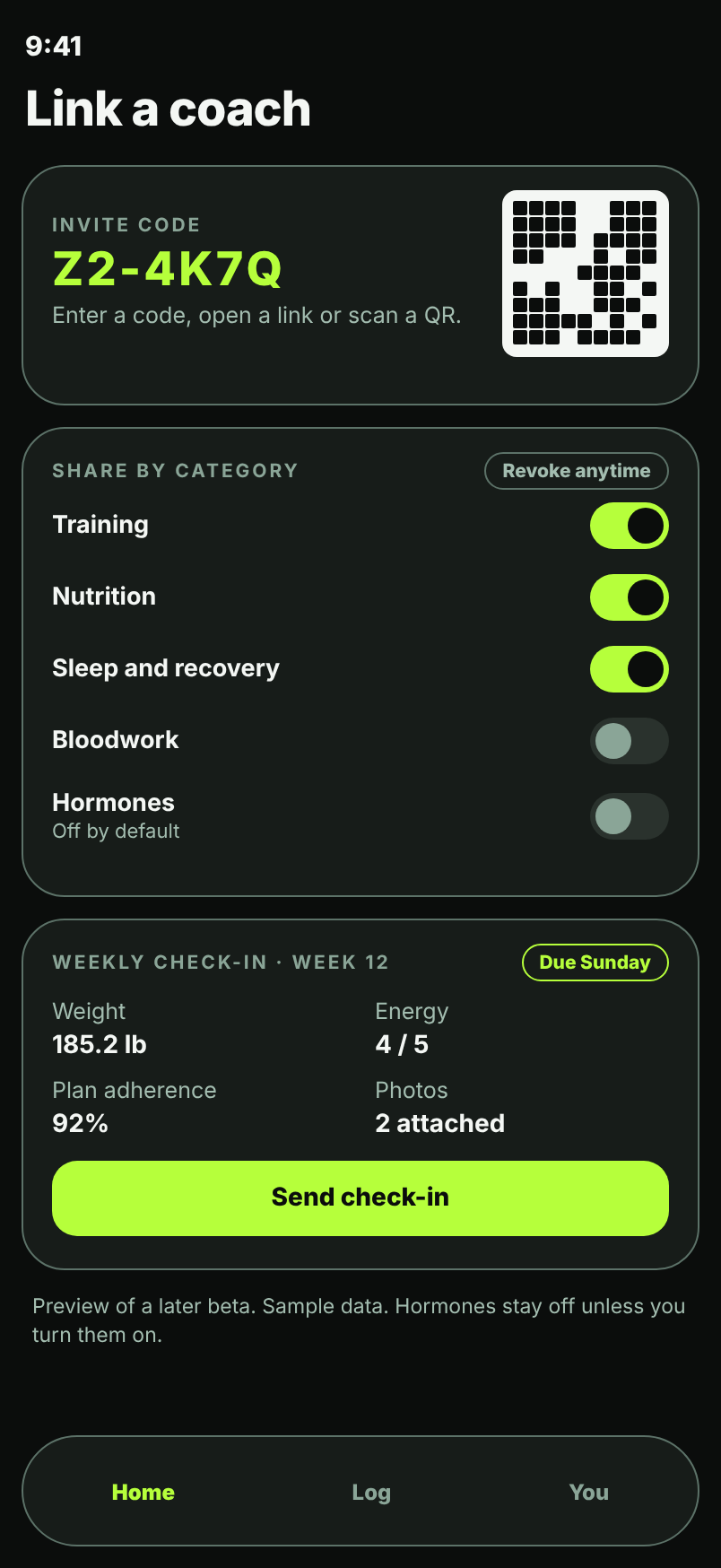
- Invite by code, link or QR (coming in a later beta)A client accepts your invite and chooses what to share.
- Consent per category (coming in a later beta)Per-category access, with a log of what was shared and when.
- Two-way coach-client messaging (coming in a later beta)Coach and client message each other inside the app.
- Weekly check-in forms with photos (coming in a later beta)Clients send a weekly check-in with photos.
- Revoke anytime (coming in a later beta)Coach sharing is opt-in, per category, and you can revoke it anytime.
- Reports through the share sheetBeta 1 sends coach reports through the share sheet as PDF or CSV.
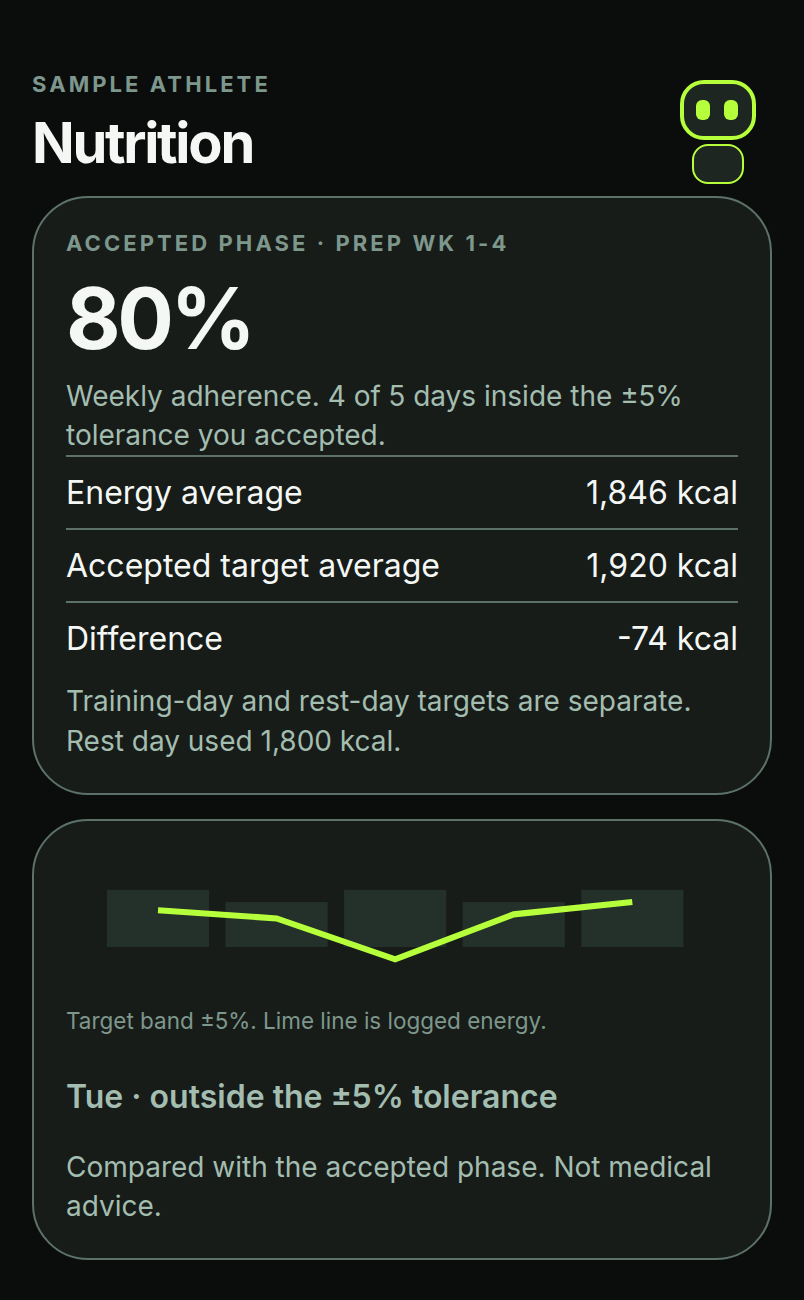
- Macro targets by phaseOff-season / prep / peak targets with adherence shown per client.
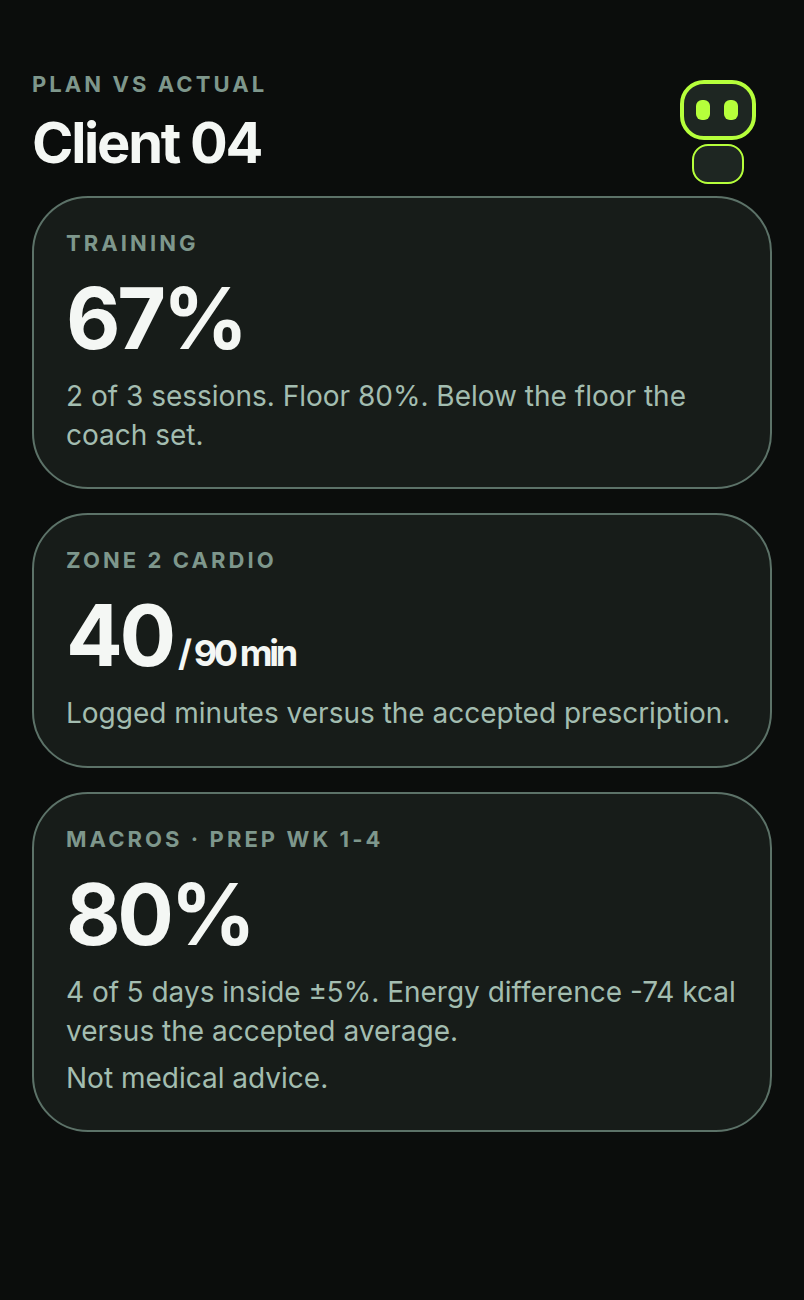
Coach features · Plan vs ActualOne dashboard: what was planned, what happened.
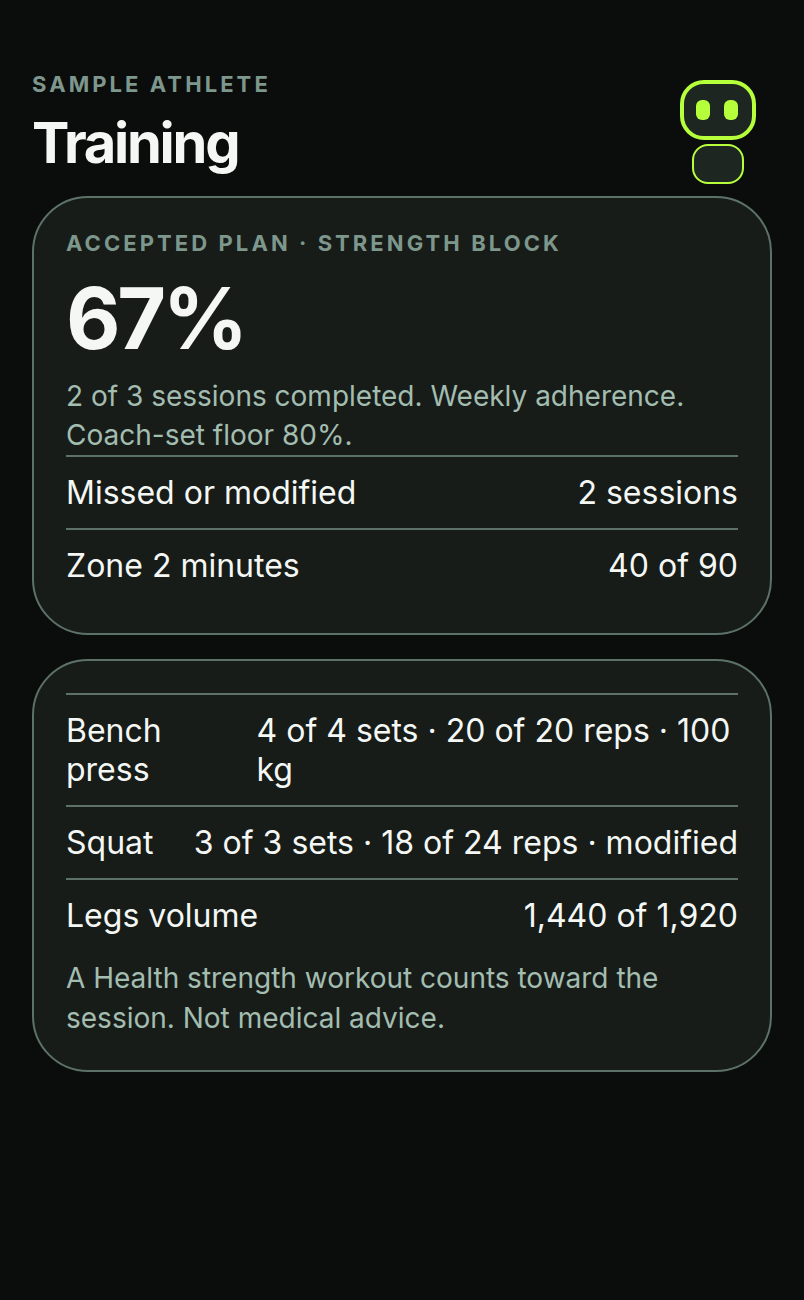
The coach sets the phase, the lifting plan and the cardio prescription. The client accepts it. Zone2Lift compares the plan with what was logged and shows adherence against the floor and tolerance the coach set. Sample clients in v0.
Lifting programs
Sets, reps, load and volume: planned vs logged, with missed or modified sessions.
Macros by phase
Off-season / prep / peak targets, training- and rest-day, with a ±% tolerance.
Cardio minutes
Prescribed Zone 2 minutes vs minutes tracked on the Watch.
Export
CSV and a PDF analysis report for check-ins.
Solo modeWorks fully without a coach.
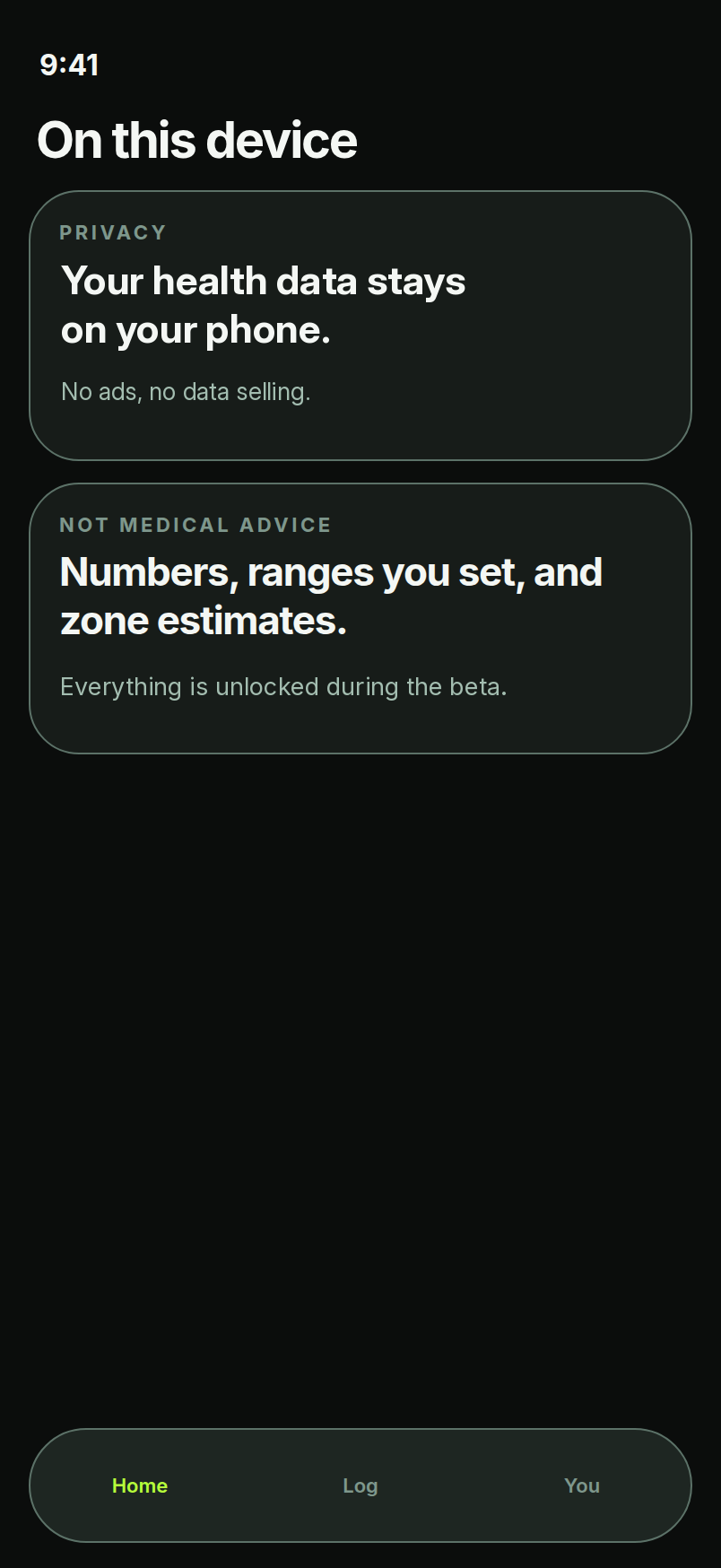
Not every lifter has a coach. Zone2Lift works without a coach, and you can add a coach later. In solo mode, Zone2Lift is the whole toolkit: the user sets their own targets and gets the same Plan vs Actual view a coach would see.
Your own macro phases
Set off-season, prep or peak targets, training- and rest-day, with your own tolerance.
Your own lifting plan
Sets, reps, load and volume, compared against what you logged.
Your own ranges
Set ranges for BP, glucose, bloodwork and hormones, or leave them empty.
Same Plan vs Actual
Training, macros and Zone 2 minutes, side by side, every week.
Start solo
Build your history
Add a coach later
When coach sharing arrives, you will choose which categories a coach can see. Your data and history stay with you.
PrivacyPrivate by default. Shared by choice.
On your phone
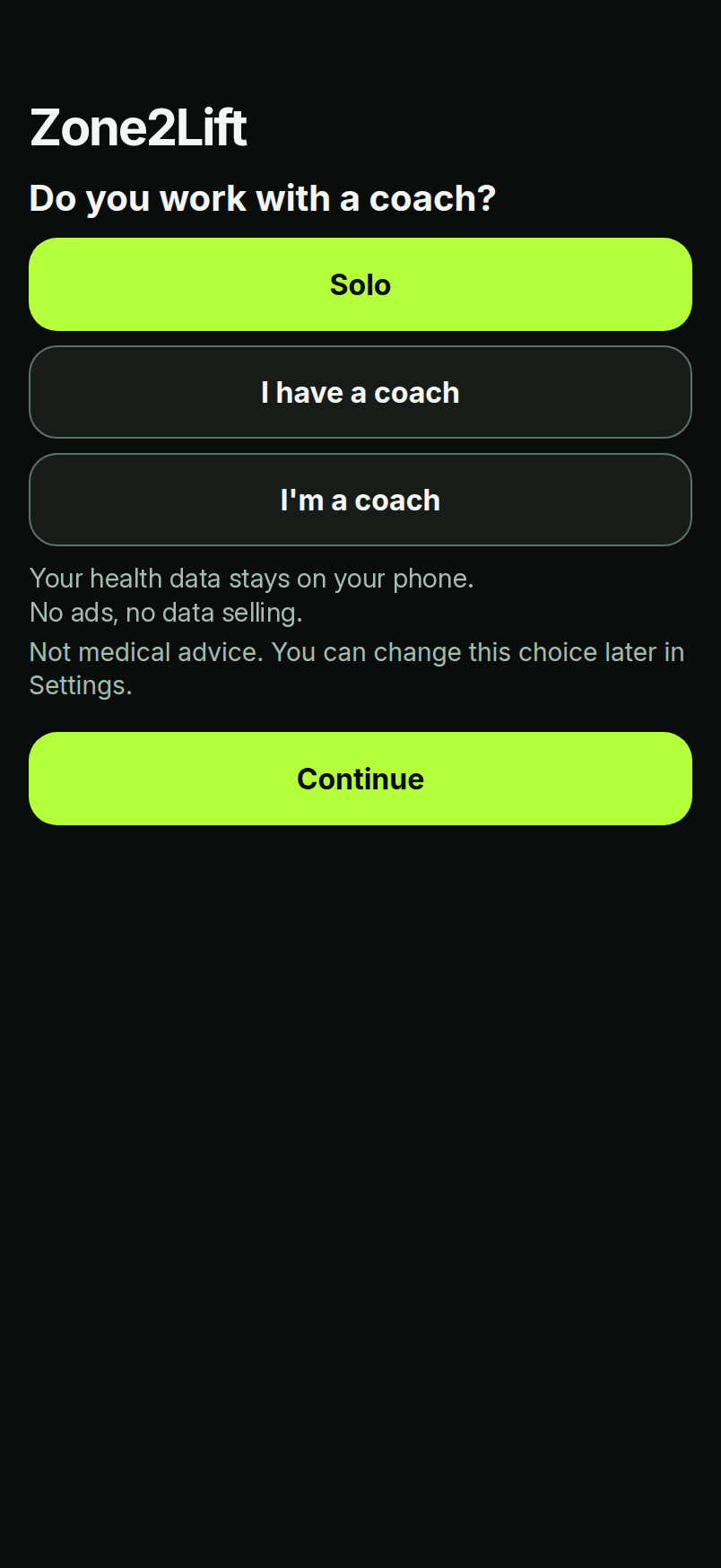
Your health data stays on your phone. Coach sharing is opt-in, per category, and you can revoke it anytime.
Face ID lock (planned)
An optional Face ID lock is planned.
No ads, no data selling
No ads, no data selling, no analytics and no tracking.
Sharing by choice, later
Coach sharing is coming later: opt-in by category, with hormones off by default. Sharing is a sample in v0.
Read the full Privacy Policy.
Quick answers.
Is Zone2Lift available now?
Not yet. It is in development for iPhone and Apple Watch. Join the TestFlight list to hear about beta access.
What do I need to run it?
iOS 17 and watchOS 10. The AI coach needs iOS 26 or later, and live zones need iOS 27.
Do I need a coach?
No. Zone2Lift works without a coach, and you can add a coach later.
Where does my health data live?
Your health data stays on your phone. There are no ads and no data selling. The Privacy Policy lists exactly what is and is not sent anywhere.
Which units does it use?
Pounds by default, with kg available in Settings.
How do coaches get my data?
Coach sharing is coming in a later beta. It is opt-in, per category, and you can revoke it anytime. In Beta 1, reports go out through the share sheet as PDF or CSV, only when you send them.
What does it cost?
Everything is unlocked during the beta. Pricing will be shared before launch.
Is it a medical device?
No. Not medical advice. Not a medical device. Zone2Lift shows numbers and ranges you or your coach set, and training-zone estimates. Talk to a qualified professional about any health decision.
Who can use it?
People aged 17 and over.
More in the Privacy Policy and the Terms of Use.
What's next.
Version 0
iPhone + Apple Watch app with live zones, glucose, bloodwork and hormones import, solo mode, the robot mascot and the optional on-device AI coach. Screens shown use sample data.
TestFlight beta
Invite-only testing with coaches and their athletes. Feedback shapes what ships first.
Coach sharing
Coach invites by code, link or QR, consent per category, two-way messaging and weekly check-in forms with photos. Coming in a later beta. Hormones stay off by default.
Coaches: help shape it.
Join the TestFlight beta and tell us what your roster actually needs.
Get on the TestFlight listComing soon to iPhone and Apple Watch
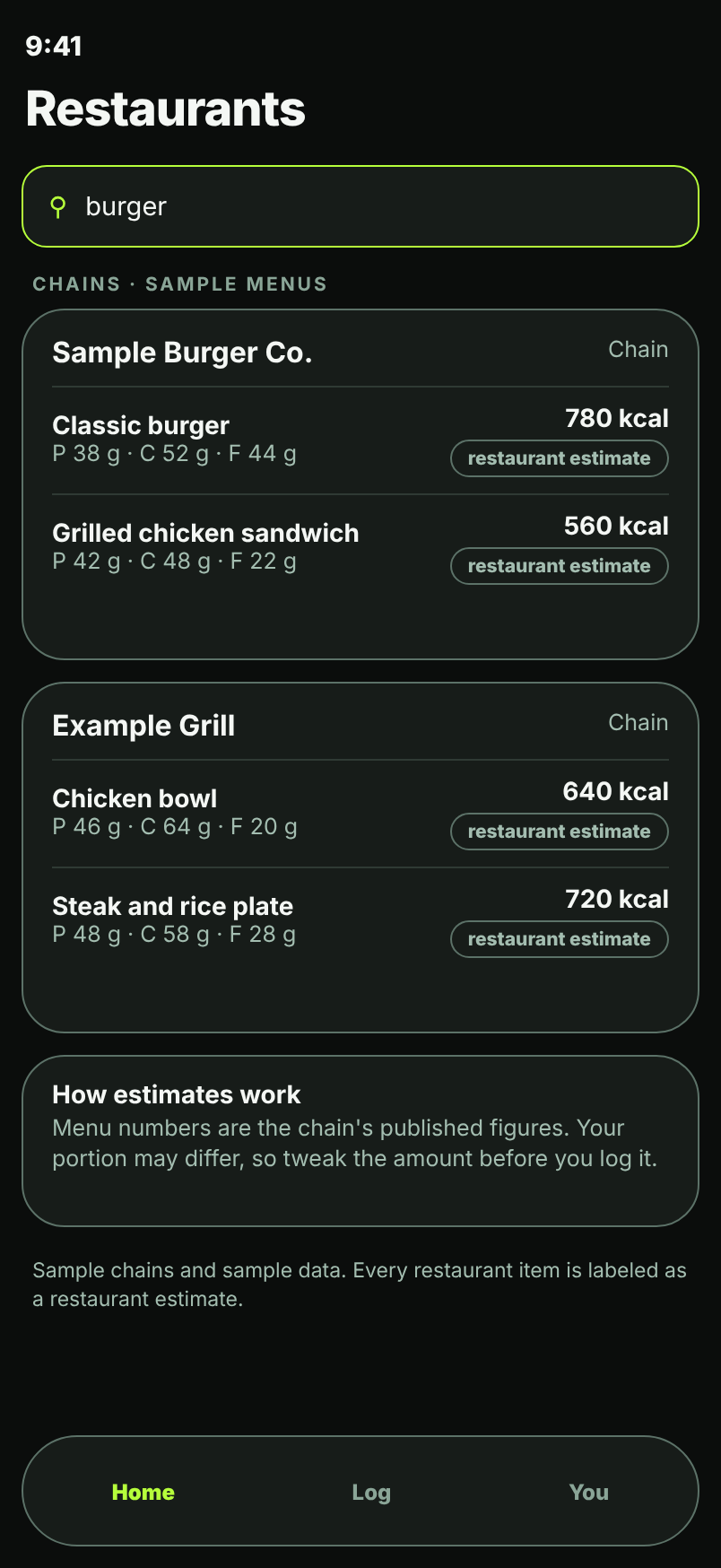
Screens are design renders of a prototype, not a shipped app. All names and numbers are sample data.